

Understanding and Utilizing Connections & Variables in Dataflow
Managing connections and variables efficiently is essential for any data workflow. In Dataflow, we’ve made it straightforward to set up database connections and define reusable variables and secrets across your projects. Let’s walk through how to work with these features.
What Are Connections and Variables?
Connections let you securely link to databases like PostgreSQL and MySQL. Once configured, you can retrieve and manipulate data directly within your workflows without hardcoding credentials.
Variables are reusable values that you can reference anywhere in your projects. Think API keys, access tokens, or any configuration values you want to manage centrally.
This guide covers creating, updating, testing, and deleting both connections and variables.
Managing Connections
Creating a Connection
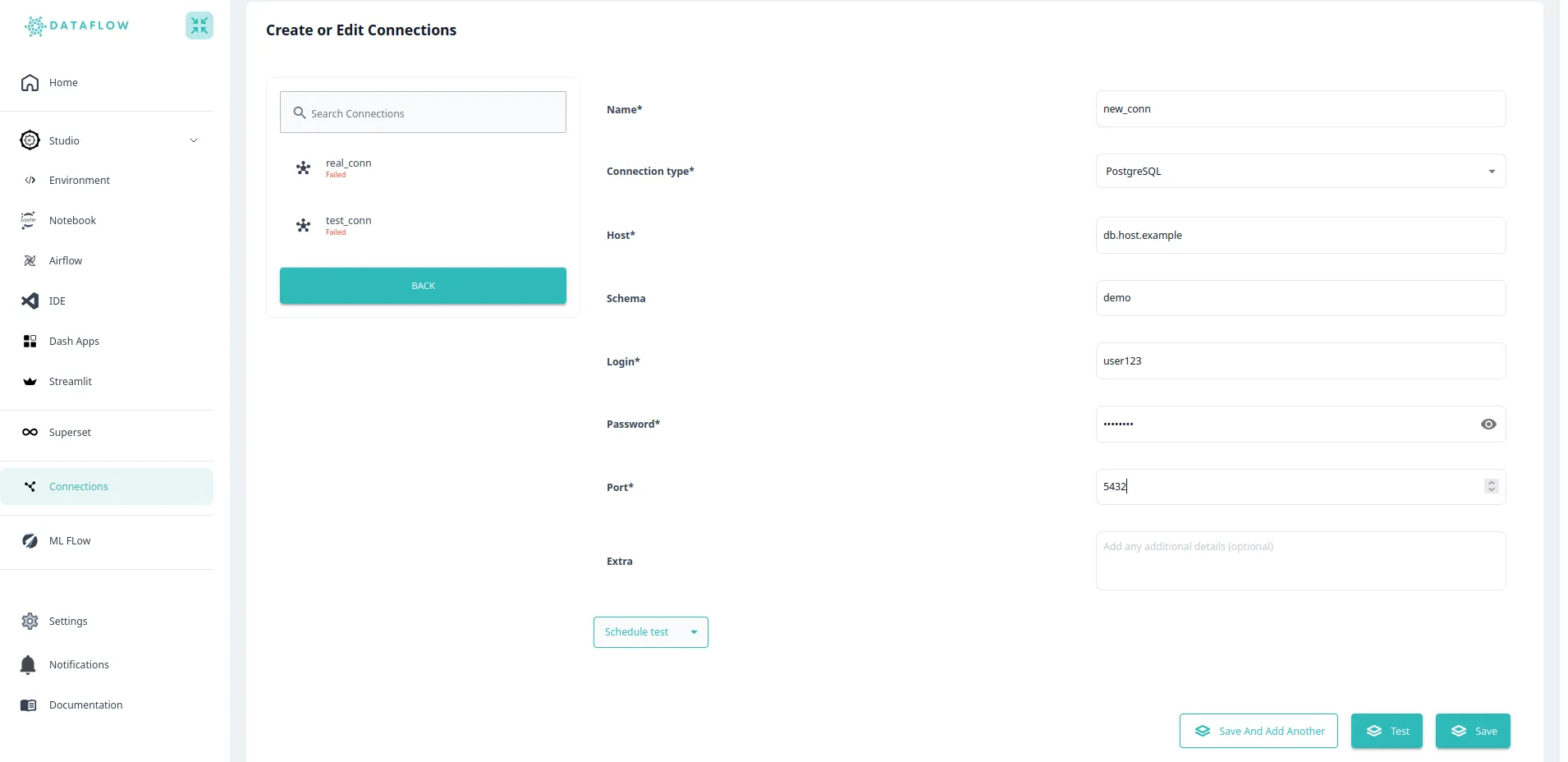
Navigate to the Connections section from the sidebar and click “Add Connection”. Select your database type (PostgreSQL, MySQL, etc.) and fill in the connection details:
- Connection Name (must be unique)
- Database Type
- Host
- Port
- Login (username)
- Password
- Extra settings if needed (like SSL options)
Click “Save” when you’re done.
Updating a Connection
Head to the Connections page and click “Edit” next to the connection you want to modify. Update the necessary details and save your changes.
Keep in mind that updating a connection won’t affect existing workflows unless you change the credentials themselves.
Testing a Connection
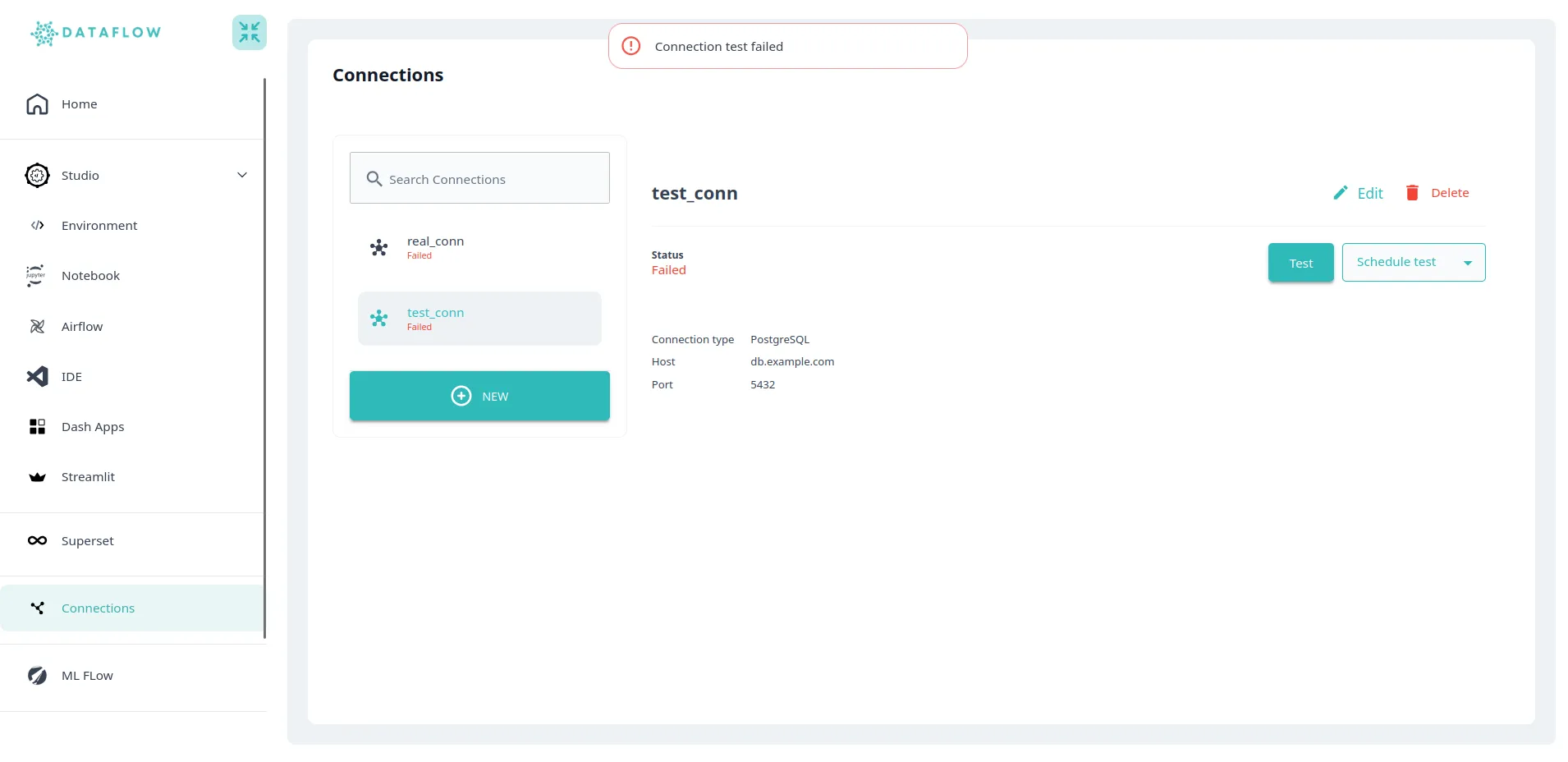
Before using a connection in production, you’ll want to verify it works. Just click the “Test Connection” button, and the system will validate your credentials and let you know if everything’s configured correctly.
Deleting a Connection
Click the “Delete” button next to any connection to remove it. Be careful though—this action can’t be undone. Any workflows using this connection will fail until you configure a new connection with the same name.
Managing Variables
Creating a Variable
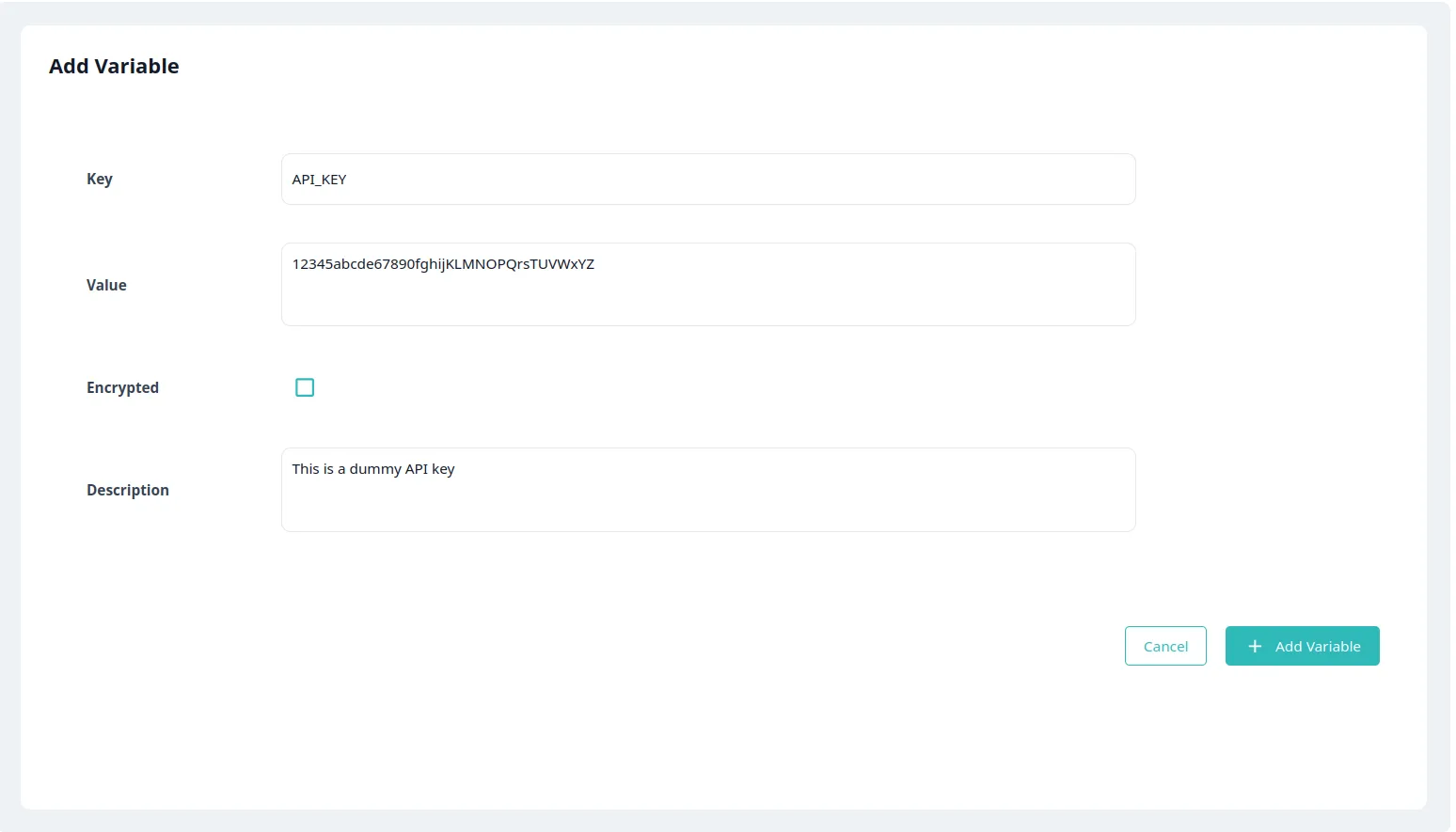
Go to Settings from the sidebar, then click “Variables” and “Add Variable”. You’ll need to provide:
- Key (must be unique)
- Value (can be a string, integer, boolean, etc.)
- Description (optional but helpful)
Click “Save” to create the variable.
Updating a Variable
From the Variables page, click “Edit” next to the variable you want to change. Modify its value and save.
Deleting a Variable
Click “Delete” next to any variable to remove it. Remember that this will impact any workflows currently using this variable, so make sure nothing depends on it before deleting.
Using Connections and Variables in Python
Once you’ve set up your connections and variables, you can use them directly in your Python scripts through the Dataflow SDK.
Using a Database Connection
Here’s how to retrieve a connection and execute a query:
from dataflow.dataflow import Dataflow
from sqlalchemy import text

# Initialize the SDK
dataflow = Dataflow()

# Get the connection using its ID
db = dataflow.connection("conn_id")

# Run a query
result = db.execute(text("SELECT 1"))
row = result.fetchone()
print(row)
This fetches your database connection using the connection ID you set up, executes a SQL query, and retrieves the result. Just make sure the connection ID matches what you created in Dataflow.
Using a Variable
Retrieving variables is just as straightforward:
from dataflow.dataflow import Dataflow

# Initialize the SDK
dataflow = Dataflow()

# Get the variable value
variable_value = dataflow.variable("variable_name")
print(variable_value)
This fetches the variable value using its name. Again, make sure the variable name matches what you set up.
Wrapping Up
You now know how to create, update, and delete connections and variables in Dataflow, as well as how to use them in your Python scripts. This lets you keep credentials and configuration values secure and centralized, making your workflows more maintainable.
Try executing some real queries using your database connections, or store your API keys and configuration parameters as variables. Experiment with different database types to see what works best for your use case.
Related topics

Ready to Transform Your Data Workflow?
Join thousands of data professionals who trust DataFlow for their data operations.
Start your free trial today and experience the power of seamless data orchestration.